
Plaid links information for thousands of banks and financial institutions, but there are occasions when a certain bank or financial institution is not a participant in Plaid's program. In those cases, you can still include your banking information into your Covet Vault and documents. Simply use the manual entry process one of two ways...
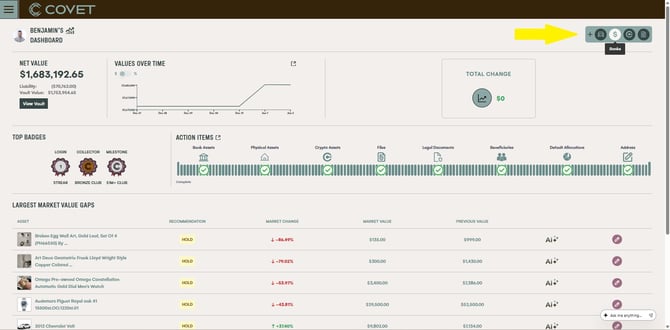
- From your Dashboard, click on the Add Banks button in the upper righthand corner
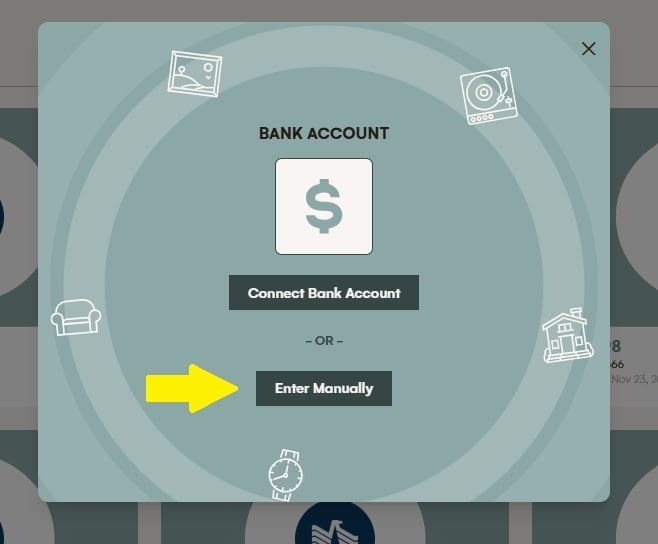
- Then click the "Enter Manually" button
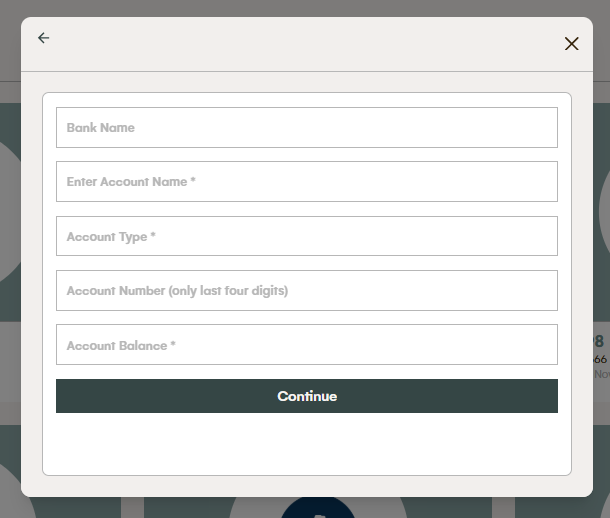
- This will open a bank asset edit form in which you can manually enter the details of your bank account. Note: Bank accounts entered manually are not automatically updated for balance information like those that are connected through Plaid.
Or, alternatively you can follow this path to enter a bank manually...
- Navigating to the Banks and Fund Asset Page
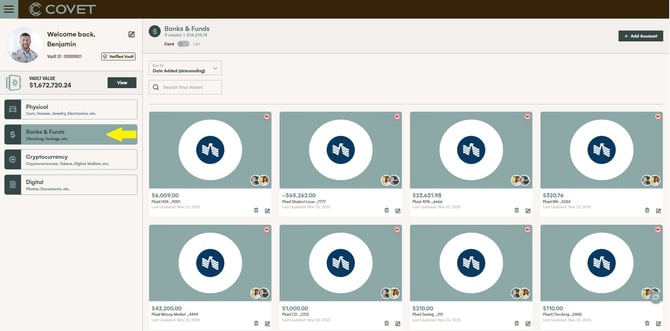
- Click on "Add Account" in the upper righthand corner
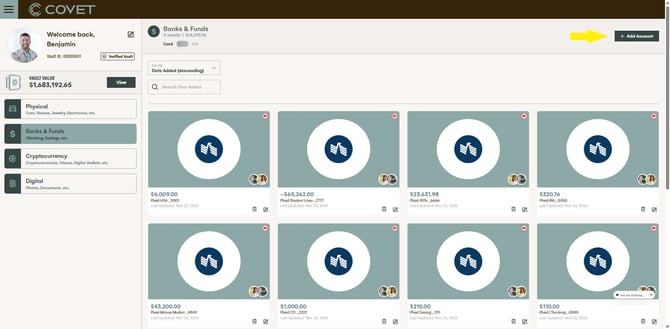
- And then click on "Enter Manually"
- This will open a bank asset edit form in which you can manually enter the details of your bank account. Note: Bank accounts entered manually are not automatically updated for balance information like those that are connected through Plaid.